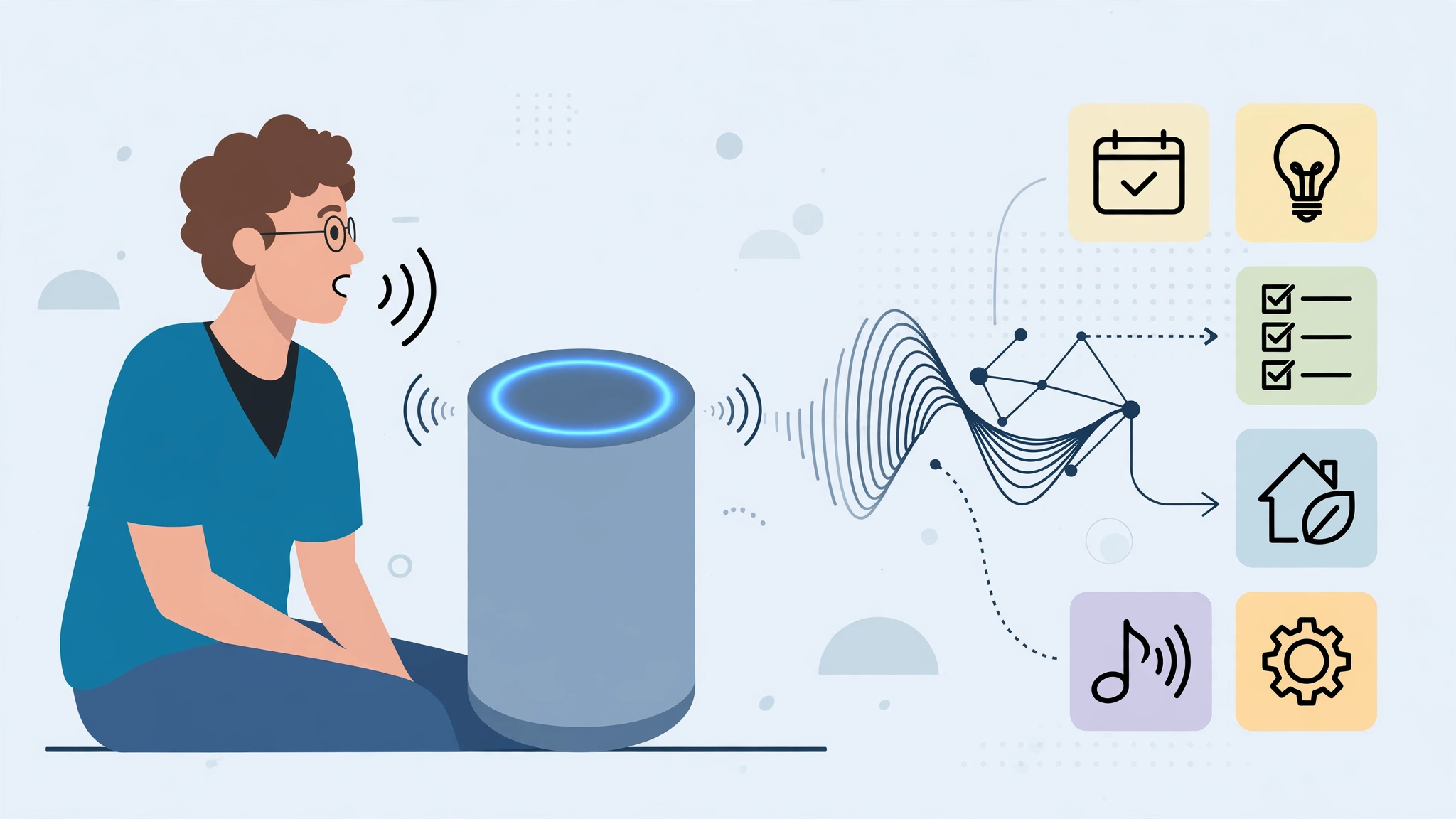
You ask a question out loud, and a small speaker answers, sets a timer, plays music, or turns off the lights. It feels instant, but several systems have to cooperate in less than a second. If you have ever wondered how voice assistants work, the short answer is that they listen for a wake word, convert speech to text, interpret meaning, find or perform a response, and speak the result back. The longer answer reveals why assistants are helpful, why they mishear us, and how to use them with better privacy habits.
Voice assistants are not one single technology. They combine microphones, signal processing, speech recognition, language models, connected services, and text-to-speech voices. Some processing happens on the device, especially wake-word detection. More complex requests usually travel to cloud servers, where larger models can interpret the words and coordinate with calendars, music services, smart-home devices, or search results.
Step One: Listening for the Wake Word
A voice assistant cannot respond to every sound in a room, so it listens locally for a specific wake word or phrase, such as a name chosen by the manufacturer. This part is designed to be lightweight and always ready. The device keeps a short rolling audio buffer and compares sounds against the wake-word pattern. When it detects a match, it becomes fully active and begins sending or processing the request.
Why wake words sometimes trigger by accident
Television dialogue, similar names, or background conversation can resemble the wake phrase closely enough to trigger the assistant. False activations are a known trade-off: make detection too strict and real requests fail; make it too sensitive and the device wakes when it should not. Indicators such as lights, tones, and activity histories help users know when a device has started listening.
Buttons, taps, and gestures
Not every assistant interaction starts with speech. Phones and wearables often use a button press, squeeze, tap, or on-screen control. These methods serve the same purpose as a wake word: they tell the system that the next audio is intentional. They can also be more private and reliable in noisy places where speaking a trigger phrase is awkward.
Step Two: Turning Speech into Text
Once activated, the assistant records your request and sends the audio to a speech recognition system, unless the device can handle it locally. This process is called automatic speech recognition, or ASR. The model analyzes sound waves, separates speech from noise, identifies phonemes, and predicts the most likely words. Accents, speed, volume, distance from the microphone, and room echo all affect accuracy.
Cleaning up messy real-world audio
Human speech in a kitchen is not clean studio audio. There may be a television, children, a fan, and a kettle all competing for attention. Modern devices use multiple microphones and beamforming to focus on the direction of the speaker. Noise reduction removes steady background sounds, while echo cancellation prevents the assistant from confusing its own voice with yours. Even with these tools, recognition can fail when people mumble, speak over each other, or use uncommon names.
Why names and places are hard
Speech systems learn common patterns well, but personal names, local businesses, song titles, and mixed-language phrases can be tricky. If you say “Call Priya” and the assistant hears “Call Ria,” the problem may be recognition, contact matching, or both. Many assistants improve by using context from your contacts, location, and previous requests, which is useful but also raises privacy questions about how much context they should retain.
Step Three: Understanding What You Mean
Text alone is not enough. The assistant must infer intent. “Play the song from last summer” could mean a specific track, a playlist, or a radio station. Natural language understanding, often shortened to NLU, identifies the action you want and the details attached to it. In technical terms, it may classify the intent, such as play_music, and extract entities, such as artist, time, device, or room.
Context makes short commands work
People speak in fragments. We say “Turn it up,” “Add that to my list,” or “Remind me tomorrow.” Assistants use conversation context and device state to fill gaps. If music is playing, “turn it up” probably means volume. If you were just discussing a shopping item, “add that” may refer to the item. This context handling is convenient, but it can also produce confident mistakes when the assistant chooses the wrong reference.
Connected services do the actual work
After understanding the request, the assistant calls a service: a music app, weather provider, calendar, smart bulb, messaging tool, or search index. This is why the same assistant can feel smart in one area and limited in another. Its abilities depend on which services are connected, what permissions you granted, and whether those services expose the action you want. In workplaces, similar integrations connect voice or chat assistants to documents and workflows, much like AI automation for small businesses links routine requests to the right tool without manual copying.
Step Four: Speaking the Answer Back
When the assistant has a result, it may show it on a screen, perform an action silently, or speak a response using text-to-speech. Modern voices are generated from models trained on human speech patterns. They manage pronunciation, pacing, emphasis, and pauses far better than older robotic voices. Still, names, abbreviations, and unusual words can be mispronounced.
Choosing what to say
A good spoken answer is shorter than a good written answer. If you ask for the weather while cooking, you need the temperature, chance of rain, and maybe a warning, not a full meteorological report. Assistants therefore summarize and prioritize. Screens can add detail visually, while voice-only devices must keep responses brief. Poor design leads to long, frustrating replies; good design respects that listening takes time.
When the assistant should ask a follow-up
Sometimes the safest action is a question. “Which light do you mean?” or “Do you want the meeting at 9 a.m. or 9 p.m.?” may feel slower, but it prevents errors. The balance is tricky. Too many clarifying questions make voice control annoying. Too few create mistakes, especially for messages, purchases, locks, alarms, and anything involving money or safety.
Privacy, Accuracy, and Everyday Limits
Voice assistants sit in private spaces and connect to personal accounts, so privacy deserves serious attention. Many providers let users review or delete recordings, turn off human review where offered, mute microphones physically, and control which services are linked. Settings change over time, so it is worth checking them rather than assuming defaults match your comfort level.
What gets stored and why
Providers may store request history to show you past activity, improve recognition, personalize responses, and troubleshoot errors. Some snippets may be reviewed by humans or automated systems depending on the service and your settings. A practical approach is to use mute buttons in sensitive rooms, review activity logs occasionally, delete old recordings, and avoid placing always-listening devices where confidential conversations happen.
Accuracy is not the same for everyone
Speech recognition has improved greatly, but performance can vary by accent, dialect, age, speech disability, and language. That matters for fairness and usability. If an assistant repeatedly misunderstands you, try speaking closer, reducing noise, training voice features if available, using shorter commands, or switching to typed input for important tasks. Voice should be an option, not a barrier.
How to Get More from Your Voice Assistant
Start with tasks where voice has a natural advantage: timers while cooking, quick calculations, reminders, music control, weather checks, smart lights, hands-free calls, and adding items to lists. These are short, frequent actions where speaking is faster than unlocking a phone and navigating menus.
Build reliable routines
Routines combine several actions into one command. A morning routine might read the weather, calendar, and news, then adjust lights. A leaving-home routine might turn off devices and confirm doors or alarms if connected. Keep routines simple and test them. The more devices and conditions involved, the more likely one weak link will break the chain.
Use clear commands for important actions
- Be specific: say the contact, room, list, or device name when it matters.
- Pause after the wake word: give the device a moment to start listening.
- Confirm sensitive actions: review messages, purchases, and security controls before sending or changing them.
- Check the screen when available: visual confirmation catches recognition errors faster than audio alone.
- Keep software updated: updates often improve recognition, security, and device compatibility.
Assistants on Phones, Speakers, Cars, and Wearables
The same basic pipeline changes shape depending on the device. A smart speaker is built for a room: far-field microphones, a loud response, and smart-home control. A phone assistant has a screen, location, apps, and personal accounts close at hand, so it can show results and handle more complex tasks. A car assistant must prioritize safety, short answers, and controls that do not distract the driver. A watch or earbud assistant needs to be brief because the display is tiny and the setting is often public.
Why the setting changes the design
Context determines what a good answer looks like. In a car, “navigate to the pharmacy” should start quickly and avoid follow-up questions unless there is a real ambiguity. In a kitchen, a speaker may need to hear over running water and timers. On a phone, the assistant can combine voice with touch: speak the request, then tap the correct result. Good products do not force one interaction style everywhere. They let voice start the task and other inputs finish it when precision matters.
Multiple speakers and shared spaces
Homes complicate everything. Several people may share one speaker, each with different music tastes, calendars, and permissions. Voice profiles can help the assistant recognize who is speaking and personalize responses, but they are not perfect security tools. A child’s request, a guest’s joke, and an owner’s instruction should not all carry the same authority. For purchases, messages, locks, and personal information, use confirmation steps, PINs where available, or phone approval.
This shared-space reality also explains why assistants sometimes seem inconsistent. The device may be signed into one person’s account, standing in a family room, connected to a partner’s music service, and trying to control lights named by someone else. Clear device names, sensible permissions, and a quick review of linked accounts solve more problems than buying a newer speaker. The intelligence is distributed across the whole setup, not contained in the microphone alone.
Frequently Asked Questions
Are voice assistants always listening?
They are generally designed to listen locally for a wake word while ignoring other speech until activated. That is different from recording and sending everything, but false activations can happen. Use physical mute controls, activity logs, and deletion settings if you want stronger control over when the microphone is active.
Why does my assistant misunderstand me?
Common causes include background noise, distance from the microphone, speaking too quickly, unusual names, accents the system handles less well, and ambiguous commands. Moving closer, reducing noise, speaking in shorter phrases, and checking what the assistant heard on screen can solve many problems without changing devices.
Can voice assistants work without the internet?
Some basic functions can work locally, such as wake-word detection, certain timers, device controls, or downloaded voice features on some phones. Many requests still need the internet because they rely on cloud speech recognition, search, streaming, or connected accounts. Capabilities vary widely by brand, device, language, and settings.
The Bottom Line
Voice assistants work by chaining several technologies together: wake-word detection, speech recognition, language understanding, connected services, and spoken responses. When each link works well, the experience feels effortless. When it fails, the cause is usually noise, ambiguity, permissions, or a weak integration. Use assistants for quick hands-free tasks, protect your privacy with deliberate settings, and confirm anything important. Voice is a powerful interface, but it works best when you understand what is happening behind the friendly voice.