If you have ever saved a photo to Google Drive, watched a film on Netflix, or checked your email on a phone, you have already used the cloud. Yet many people still ask a simple question: what is cloud computing, really? The short answer is that cloud computing means using computing power, storage, and software that live on remote servers reached over the internet, instead of on your own device. This guide explains how it works, the main types of cloud services, what it costs, and where it is heading.
A Simple Definition of Cloud Computing
Cloud computing is the delivery of computing services — servers, storage, databases, networking, and software — over the internet. Instead of buying and maintaining your own hardware, you rent capacity from a provider such as Amazon Web Services, Microsoft Azure, or Google Cloud, and you pay for what you use.
A helpful analogy is electricity. A century ago, factories generated their own power with private generators. Today they plug into a shared grid and pay a monthly bill. The cloud does the same thing for computing: it turns expensive, fixed hardware into a flexible utility that anyone can tap into.
What Runs in the Cloud?
Almost anything digital can run in the cloud. Your files can sit in cloud storage, your favourite apps can run on cloud servers, and entire company systems — email, accounting, customer databases — can operate without a single physical server in the office. When you open a web app and it simply works on any device, the cloud is almost certainly behind it.
How Cloud Computing Actually Works
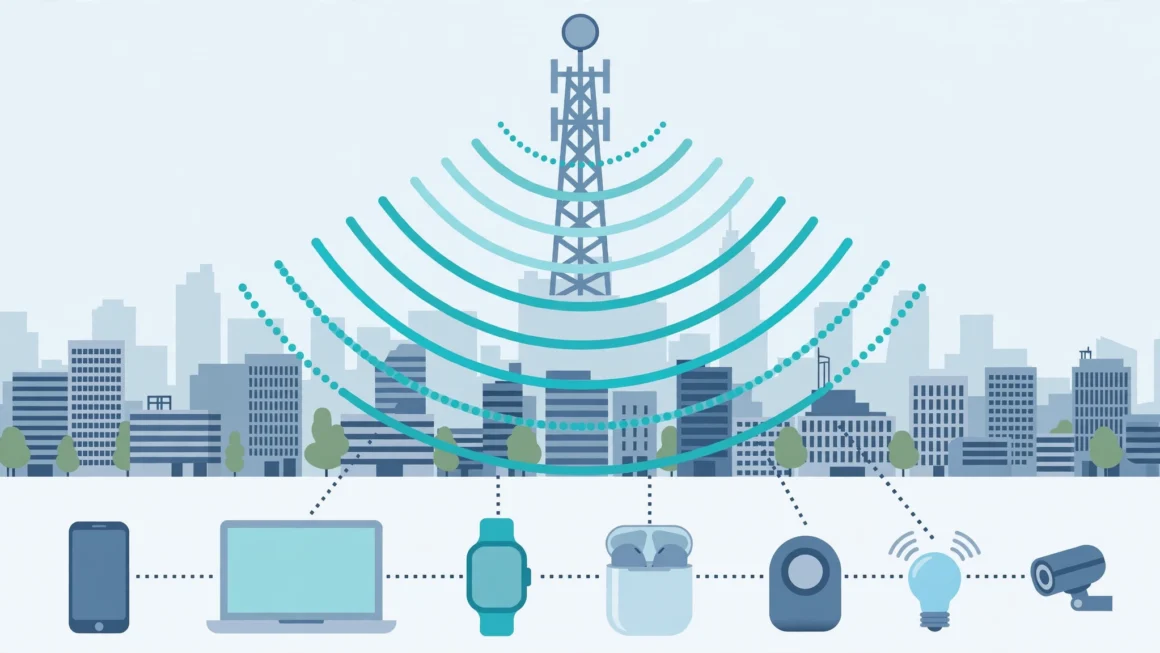
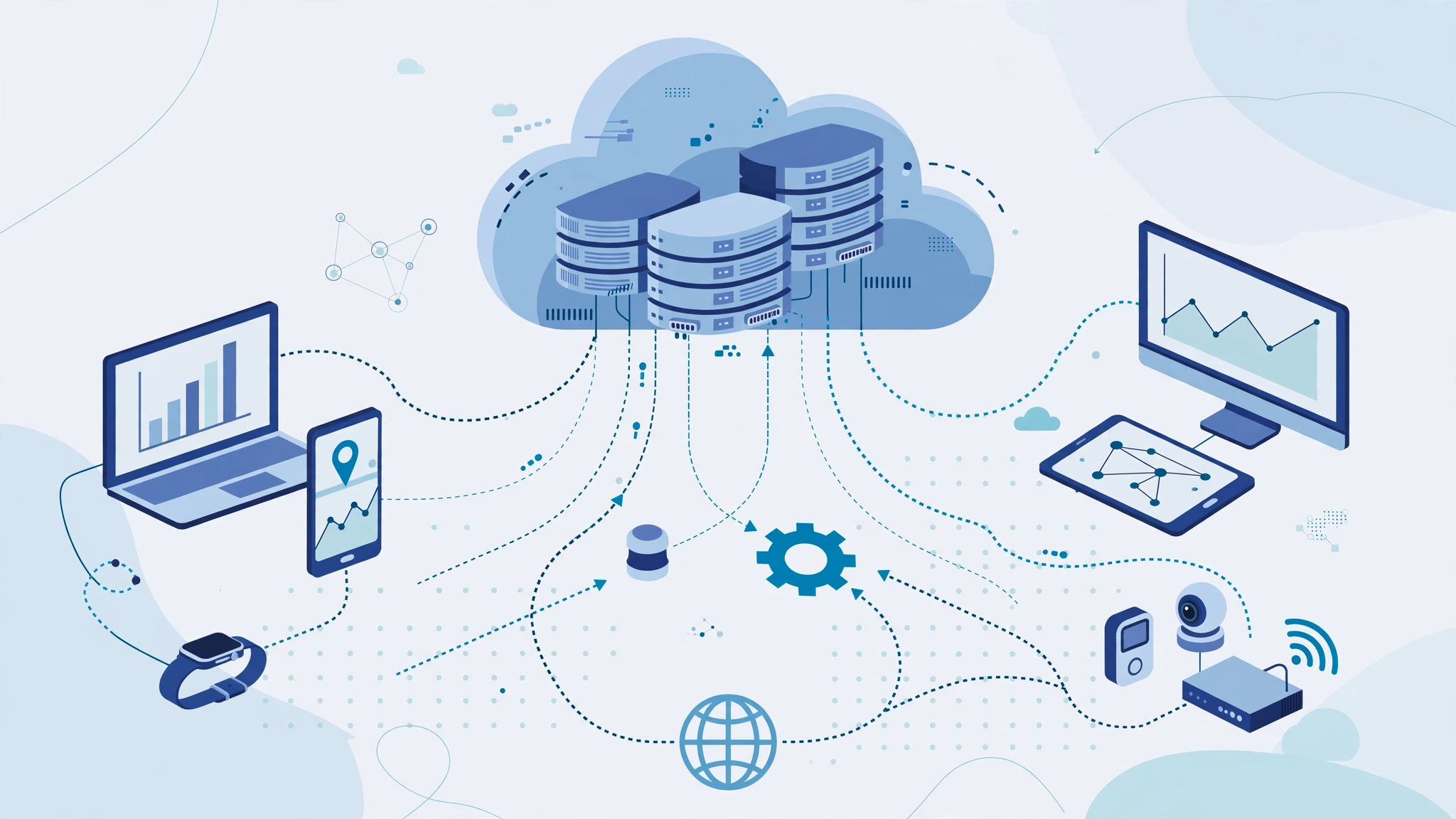
Behind the friendly word “cloud” are enormous data centres: warehouses full of servers, storage drives, and networking equipment, run by providers in many locations around the world. When you request a file or open an app, your device sends that request over the internet, a server in one of these centres does the work, and the result travels back to your screen in a fraction of a second.
Virtualisation: The Trick Behind the Cloud
The key technology is virtualisation. Software divides one powerful physical server into many independent “virtual” machines, each acting like its own computer. This lets providers slice their hardware into flexible pieces and rent exactly the amount each customer needs. It also means capacity can grow or shrink in minutes — something physical hardware could never do.
Why Location Still Matters
Data travels fast, but distance still affects speed. Providers therefore offer regions around the world so customers can store data and run apps close to their users. Location also matters legally: many countries require certain data, such as health or financial records, to stay within national borders.
The Three Main Types of Cloud Services
Cloud services are usually grouped into three models, defined by how much you manage yourself and how much the provider handles.
1. Infrastructure as a Service (IaaS)
IaaS rents you the raw building blocks: virtual servers, storage, and networks. You control the operating system and software; the provider maintains the hardware. It is the most flexible option and suits technical teams that want control without buying machines.
2. Platform as a Service (PaaS)
PaaS gives developers a ready-made environment for building and running applications, without worrying about servers or operating systems. Developers focus on writing code while the platform handles scaling, updates, and infrastructure underneath.
3. Software as a Service (SaaS)
SaaS is finished software delivered through a browser: Gmail, Microsoft 365, Zoom, and most tools you log into online. You manage nothing technical — you simply use the app, usually for a monthly subscription. For most beginners, SaaS is the cloud they meet every day.
Public, Private, and Hybrid Clouds
There is also a choice about who the cloud is shared with. A public cloud is shared infrastructure run by a provider and used by many customers; it is the cheapest and most common model. A private cloud is dedicated to one organisation, offering more control and privacy at higher cost. A hybrid cloud mixes the two — sensitive data stays private while everyday workloads use the public cloud’s flexibility. Many large companies choose hybrid setups to balance cost, security, and compliance.
The Real Benefits of Cloud Computing
- Lower upfront costs: no servers to buy; you pay a predictable subscription or usage bill.
- Flexibility and scale: add capacity during busy periods and release it when things quiet down.
- Work from anywhere: files and apps follow you across devices and locations.
- Automatic updates and backups: providers patch software and copy data so a broken laptop is not a disaster.
- Enterprise-grade security: major providers invest far more in security teams and monitoring than a small business could afford alone.
These advantages explain why businesses pair the cloud with tools like AI automation: cloud platforms provide the always-on computing power that modern automated workflows need, without any hardware in the office.
The Downsides and Risks to Know
The cloud is not perfect. It depends entirely on your internet connection — if the connection fails, cloud tools are out of reach. Costs can also creep: pay-as-you-go pricing is convenient, but unused resources left running quietly inflate bills. Security is shared, too. Providers secure the infrastructure, but customers must still manage passwords, permissions, and settings correctly; most cloud breaches trace back to a misconfigured account rather than a broken provider. Finally, switching providers can be difficult and expensive, a problem known as vendor lock-in.
Everyday Examples You Already Use
Once you know what to look for, the cloud is everywhere. Photo apps back up your pictures automatically. Streaming services store vast video libraries centrally and deliver them on demand. Online banking, school platforms, video calls, and even smart home devices all rely on cloud servers to store data and coordinate activity. For businesses, customer relationship systems, accounting software, and team chat tools are now almost entirely cloud-based.
How to Start Using the Cloud Wisely
For individuals, starting is simple: use a reputable storage service for backups, turn on two-factor authentication, and keep a local copy of your most critical files. For small businesses, begin by moving one workload — email or file storage, for example — then expand gradually. Compare providers on price, data location, and support, and review your usage every few months so you are not paying for capacity nobody uses.
How Much Does Cloud Computing Cost?
For individuals, the cloud is often free at small scale: major storage and email services include a free tier, with paid plans typically costing a few pounds or dollars a month for hundreds of gigabytes. For businesses, pricing follows usage — you pay for the computing time, storage, and data transfer you actually consume. This is both the cloud’s greatest strength and its main trap. A well-managed cloud setup is usually cheaper than buying servers, but resources left running overnight, oversized databases, and forgotten test environments quietly add up. The discipline that keeps bills low is simple: monitor usage dashboards, set budget alerts, and regularly delete or downsize anything nobody is using.
Cloud vs. Buying Your Own Server
A small business comparing options should count the full cost of ownership, not just the purchase price. An on-site server also needs power, cooling, maintenance, replacement parts, security, and someone’s time to manage it — and it still represents a single point of failure. The cloud bundles all of that into the subscription and spreads the risk across professionally run data centres. Owning hardware can still make sense for very stable, specialised workloads, but for most organisations the flexibility of renting wins.
Cloud Computing at Work: A Day in the Life
To see the cloud’s real impact, follow an ordinary working day. A designer in one city uploads artwork to shared storage; a colleague on another continent opens the same file seconds later and comments on it. A shop’s till system records a sale, updates stock in a central database, and triggers a reorder email automatically. A support team’s phones, chat, and ticketing all run in a browser, so staff can help customers from home during a storm. None of these businesses owns a server room. Each rents slices of the same global infrastructure, scaled precisely to its size — a practical illustration of why the cloud has become the default foundation for modern work.
Where Cloud Computing Is Heading
The cloud keeps evolving. Edge computing moves processing closer to where data is created — in shops, vehicles, and factories — so responses are instant even when the internet is not. Serverless computing lets developers run code without thinking about servers at all; the provider starts resources when needed and charges only for the milliseconds used. Artificial intelligence is now largely a cloud service too, since training and running large models demands computing power few organisations could ever own. And sustainability is becoming a deciding factor, as providers compete to run data centres on renewable energy and publish their efficiency. The direction of travel is consistent: computing becomes less visible, more automatic, and more like a utility every year.
Common Myths About the Cloud
A few misconceptions are worth clearing up. First, the cloud is not a single place or a single company: it is a model offered by many providers across thousands of data centres. Second, “in the cloud” does not mean floating in the sky — your data sits on physical drives in specific buildings, which is why providers let you choose regions. Third, the cloud is not automatically secure or insecure; it is a shared responsibility, where the provider protects the infrastructure and you protect your accounts, passwords, and settings. Finally, moving to the cloud is not all-or-nothing: most people and businesses use a mixture of local and cloud tools, chosen workload by workload. Understanding these points turns the cloud from a buzzword into what it really is — a practical set of choices about where your computing happens.
Frequently Asked Questions
Is the cloud just someone else’s computer?
In a literal sense, yes — your data sits on servers owned by a provider. But those servers come with professional security, constant backups, global reach, and flexible scaling that a single home or office computer cannot match.
Is cloud storage safe for private files?
With a reputable provider, strong unique passwords, and two-factor authentication turned on, cloud storage is generally safer than keeping the only copy on a laptop that can be lost or stolen. For highly sensitive files, encrypt them before uploading for an extra layer of protection.
Do I need the cloud if I only use one computer?
You can manage without it, but the cloud still helps: automatic backups protect against hardware failure, and syncing lets you pick up a new device and continue exactly where you left off.
The Bottom Line
Cloud computing simply means renting computing power, storage, and software over the internet instead of owning and maintaining everything yourself. It lowers costs, adds flexibility, and powers nearly every service you use daily — from email to streaming to business software. Understanding the basics — how it works, the IaaS, PaaS, and SaaS models, and the trade-offs involved — helps you choose tools wisely, protect your data, and make the most of a technology that has quietly become the backbone of modern digital life. You do not need to become an engineer to benefit from it. Start with the services you already use, secure them properly, understand what you are paying for, and let the cloud handle the heavy lifting it was built for: storing, scaling, and safeguarding the digital parts of your work and life.