You do not need to be a hacker or an IT professional to stay safe online. Most successful cyberattacks do not use exotic technology; they exploit a handful of everyday weaknesses — a reused password, a convincing fake email, an update that never got installed. Learning a small set of cybersecurity basics closes those gaps and protects the accounts, money, and memories you keep online. This guide covers the essentials in plain English, with habits you can put in place today.
What Cybersecurity Actually Means
Cybersecurity is the practice of protecting devices, accounts, and data from digital attacks. For individuals, that means keeping criminals out of your email, banking, photos, and social accounts. Attackers are usually after money: they steal credentials to drain accounts, lock files for ransom, or harvest personal details for identity fraud. The encouraging truth is that basic, consistent habits defeat the overwhelming majority of these attempts, because criminals overwhelmingly choose the easiest targets available.
The Three Goals: Confidentiality, Integrity, Availability
Professionals summarise security with three aims. Confidentiality means only the right people can see your data. Integrity means your data is not secretly altered. Availability means you can actually access your files and accounts when you need them. Every habit in this guide serves at least one of those goals.
Passwords: Your First and Most Important Defence
Make Every Password Long and Unique
Length beats cleverness. A passphrase of four or five random words is both easier to remember and far harder to crack than a short jumble of symbols. What matters most is uniqueness: every account needs its own password, because breaches at one site are routinely used to attack others in automated “credential stuffing” campaigns.
Let a Password Manager Do the Remembering
No human can memorise a hundred strong passwords, which is exactly why password managers exist. They generate random passwords, store them in an encrypted vault, and fill them in for you — which also protects against phishing, since the manager will not enter your bank password on a look-alike fake site. Protect the vault itself with a strong master password and two-factor authentication.
Add Two-Factor Authentication
Two-factor authentication (2FA) requires a second step — a code from an app, a fingerprint, or a security key — alongside your password. It is the single most effective extra layer available: even a stolen password becomes nearly useless without the second factor. Turn it on for email first, because email resets the passwords to everything else, then banking, shopping, and social accounts.
Phishing: The Attack That Targets You, Not Your Computer
Phishing is a fake message — email, text, or social post — designed to trick you into revealing passwords, card numbers, or installing malware. Modern phishing is polished: logos look right, language sounds urgent, and sender addresses are spoofed or subtly misspelled. Warning signs include unexpected attachments, pressure to act immediately, threats of account closure, and links whose real destination does not match the claimed sender.
How to Handle Suspicious Messages
- Pause: urgency is the trick; legitimate organisations rarely demand instant action by email.
- Inspect: hover over links to see the true address, and check the sender’s domain letter by letter.
- Go direct: open the company’s app or type its address yourself instead of clicking.
- Verify: if a message from a colleague or family member seems odd, confirm through a different channel.
- Report and delete: use your mail app’s phishing report button, then remove the message.
Remember that phishing also arrives by phone: callers claiming to be your bank or a tech-support company and asking for codes or remote access are running the same scam with a voice.
Keep Software Updated — It Is Not Optional
Most updates are not about new features; they patch security holes that researchers and criminals have discovered. Attackers scan for devices running old software because known vulnerabilities come with ready-made exploits. Turn on automatic updates for your operating system, browser, apps, and even your home router, and restart devices when asked so patches actually apply. Software that no longer receives updates — an ancient phone or an abandoned app — should be retired, because its holes will never be fixed.
Malware and Ransomware: Know the Enemy
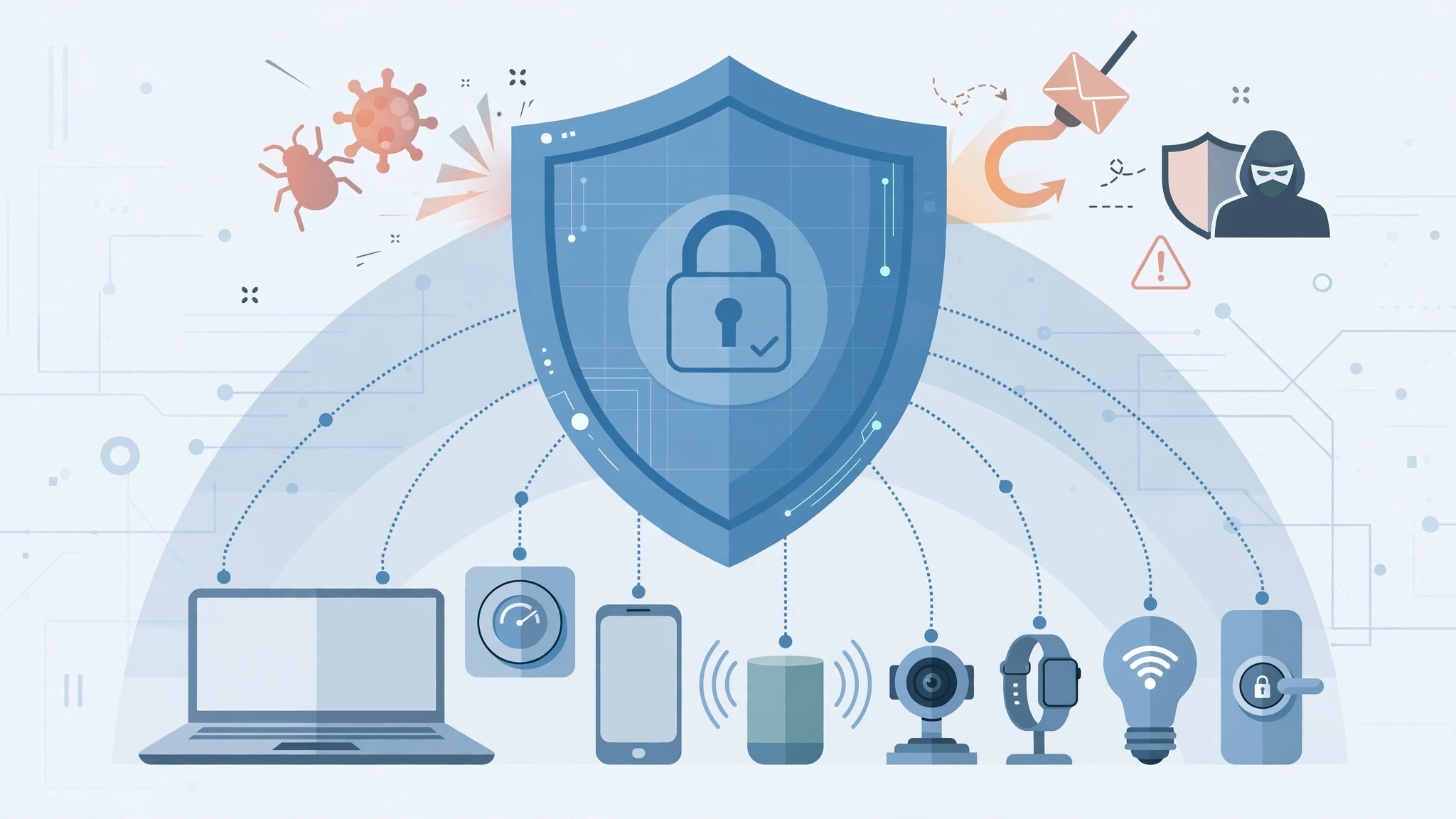
Malware is malicious software: viruses, spyware that records keystrokes, and ransomware that encrypts your files and demands payment for the key. It usually arrives through phishing attachments, fake downloads, malicious adverts, or infected USB drives. Defence is layered: keep systems updated, use the built-in security tools on modern operating systems, download software only from official sources, and treat unexpected “your computer is infected” pop-ups as scams themselves — real security software never demands payment through a browser warning.
Backups: The Ransomware Answer
Regular backups turn ransomware from a catastrophe into an inconvenience. Follow the 3-2-1 rule: keep three copies of important data, on two different types of storage, with one copy off-site or in the cloud. Crucially, keep at least one backup disconnected or versioned, so an attack cannot encrypt the backup too. Test restoring a file occasionally — an untested backup is only a hope.
Stay Safe on Wi-Fi and in Public
Your home network is part of your defences: change the router’s default admin password, use WPA2 or WPA3 encryption, and keep its firmware updated. On public Wi-Fi in cafés and airports, assume others may be watching; avoid banking and sensitive logins, prefer your phone’s mobile data for anything important, and consider a reputable VPN, which encrypts your traffic on untrusted networks. At home or away, the same thinking scales up for businesses, where secure remote access underpins tools like AI automation — the workflows are only as trustworthy as the connections and accounts behind them.
Protect Your Phone and Your Identity
Phones hold the keys to modern life, including banking apps and 2FA codes. Lock yours with a PIN plus fingerprint or face recognition, set it to lock quickly, and enable “find my device” and remote wipe. Be sparing with the personal details you publish — birthdays, pet names, and schools are classic security-question answers and social-engineering material. Finally, check whether your email has appeared in known breaches using a reputable notification service, and change any affected password immediately.
Safe Shopping, Banking, and Downloads
Money-related accounts deserve your strictest habits. Reach your bank by typing its address or using its official app — never through a link in a message — and turn on transaction alerts so unexpected payments surface immediately. When shopping, look for the padlock icon and the correct domain name, be wary of prices that seem impossibly low on unfamiliar sites, and pay by credit card where possible for stronger dispute rights. For software, the rule is simple: download only from official app stores or the maker’s own website. “Free” versions of paid programs from random download sites are one of the oldest malware delivery tricks in existence.
Spotting a Fake Website
Fraudulent sites copy real brands closely, but the address bar betrays them: look for misspellings, extra words, or unusual endings in the domain. A brand-new site with no contact details, no reviews anywhere else, and pressure tactics like countdown timers deserves particular suspicion. When in doubt, search for the company name plus the word “reviews” or “scam” before paying anything.
Security for Remote Workers and Small Teams
Working from home blends personal and professional risks. Keep work accounts separate from personal ones, use your employer’s VPN or secure access tools when provided, and lock your screen whenever you step away — even at home. Be extra careful with unexpected “invoice,” “payroll,” or “password reset” messages: business email scams succeed by imitating routine workplace requests, and a quick confirmation through a second channel defeats most of them. If you run a small team, the highest-value measures are the same basics applied consistently: password manager licences for everyone, 2FA enforced on all accounts, automatic updates, and tested backups of anything the business cannot afford to lose.
Build a Simple Security Routine
Security fails when it depends on memory and good intentions, so turn it into a light routine instead:
- Monthly: skim bank and card statements for unfamiliar transactions, however small.
- Quarterly: check that backups run and restore one test file; review which apps and sites are connected to your main accounts.
- Twice a year: update your router’s firmware and admin password, and review privacy and security settings on your phone and social accounts.
- Immediately: act on breach alerts — change the affected password and any account where you reused it.
Each pass takes minutes, and together they keep your defences current as accounts, devices, and threats change around you. If a full routine feels daunting, start with just the monthly statement check and the breach-alert habit; even those two alone will catch most real problems early, while they are still cheap and easy to fix.
Teach the People Around You
Your security is partly a team effort, because attackers happily enter through the least protected person in a family or workplace. Older relatives are frequent targets for phone and email scams, and children meet risks through games and social apps long before they understand them. Share the essentials in plain terms: never share codes with anyone who asks, treat unexpected messages with suspicion, and agree on a family “safe word” or a simple rule — such as always confirming money requests by calling back on a known number — that makes impersonation scams collapse. At work, a culture where people report suspicious messages quickly, without embarrassment, protects everyone far better than blame ever will. The ten minutes you spend helping someone else set up a password manager and 2FA may prevent the call you would otherwise get after a fraud.
Frequently Asked Questions
Do I need paid antivirus software?
For most people, the security built into modern Windows, macOS, Android, and iOS — kept fully updated — provides solid protection. Paid suites add extras like VPNs and identity monitoring, but no antivirus replaces careful habits, unique passwords, and backups.
What should I do if I think I have been hacked?
Act quickly: change the affected password from a clean device, turn on 2FA, sign out other sessions, and check connected accounts (especially email and banking) for changes. If money is involved, contact your bank immediately, and report the incident to your local cybercrime authority.
In short: a few strong habits, maintained consistently, provide genuinely strong protection for ordinary people.
Are password managers themselves safe?
Yes — reputable managers encrypt your vault so even the provider cannot read it, and they are audited by independent security researchers. The alternative most people actually practise — reusing a few memorable passwords — is far riskier.
The Bottom Line
Cybersecurity basics are not complicated: long, unique passwords stored in a manager, two-factor authentication on key accounts, a sceptical eye for phishing, prompt software updates, and reliable backups following the 3-2-1 rule. None of these require technical expertise, and together they block the routes used by the vast majority of real-world attacks. Set them up once, review them a few times a year, and you will have turned yourself from an easy target into a hard one — which, in practice, is what staying safe online means. That is the realistic goal of personal cybersecurity: not building an impenetrable fortress, but removing the open doors and obvious weaknesses that attackers rely on. Criminals work at scale and move on quickly when the basics are in place. An afternoon spent on the habits in this guide, followed by a few minutes of maintenance now and then, buys you durable protection for the accounts and data your life increasingly runs on.