Every time you go online, your connection passes through more hands than you might expect. Your internet provider can see which websites you visit, the coffee shop Wi-Fi owner could peek at unencrypted traffic, and every site you open learns your approximate location from your IP address. A virtual private network, or VPN, is the tool millions of people use to take back some control over that exposure. But how does a vpn work exactly, and is it something you genuinely need, or just another subscription competing for your wallet? This guide explains the technology in plain language, separates the real benefits from the marketing hype, and helps you decide when a VPN earns its place on your devices.
What Is a VPN, in Plain English?
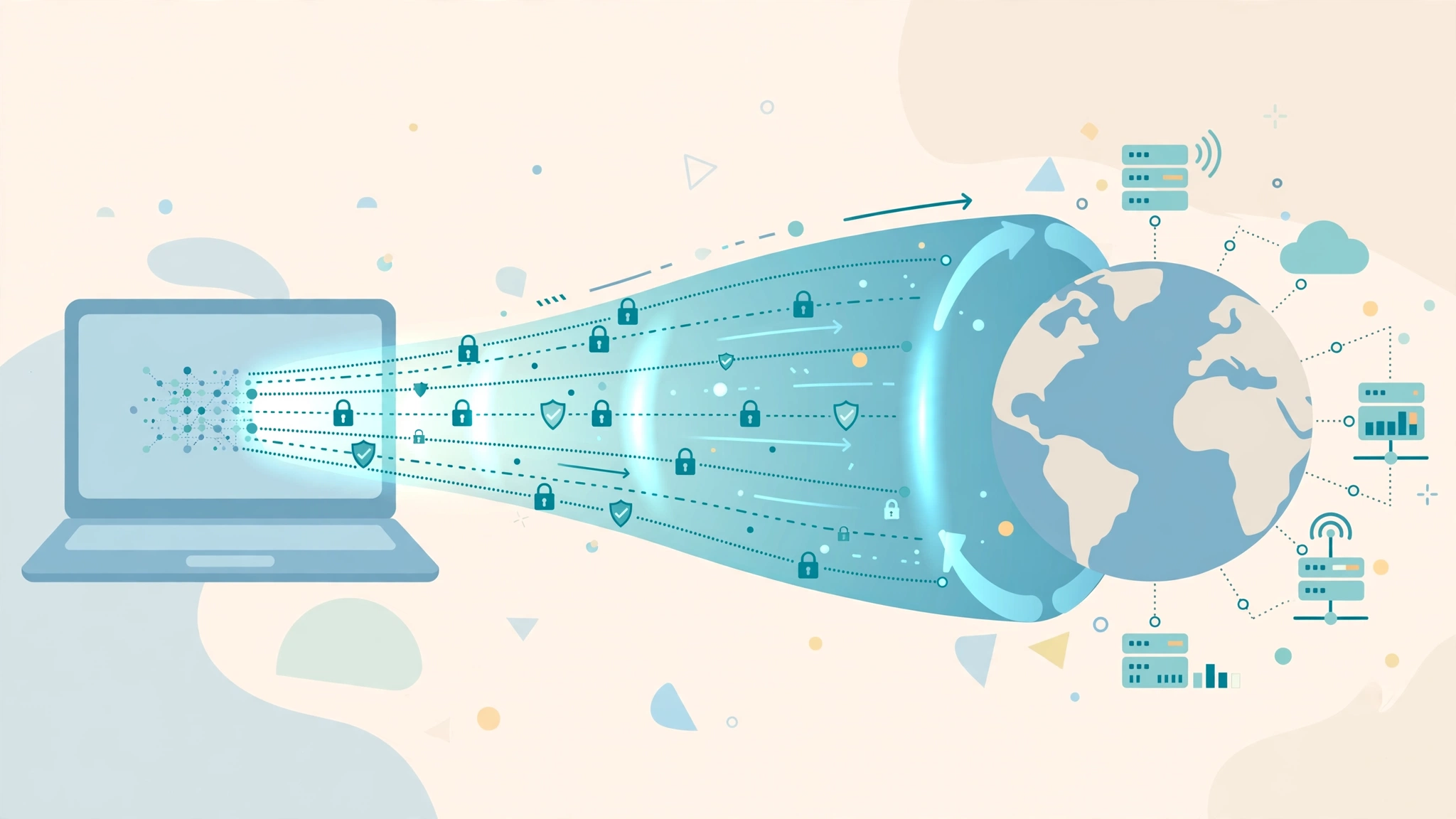
A VPN is a service that creates an encrypted tunnel between your device and a server operated by the VPN company. Instead of your traffic travelling directly from your phone or laptop to the websites you visit, it first flows through this tunnel to the VPN server, and only then out to the open internet. To the websites you visit, it looks as though the VPN server is the one browsing, not you. To your internet provider, it looks as though you are connected to a single server and nothing more, because everything inside the tunnel is scrambled.
Think of it like sending a letter inside a locked metal box instead of on a postcard. A postcard can be read by everyone who handles it along the way. The locked box still travels through the same postal system, but only the recipient with the key can see what is inside. A VPN does the same thing for your data: the route is similar, but the contents are protected and the return address appears to be the VPN company, not your home.
How Does a VPN Work, Step by Step?
Understanding the sequence of events makes the whole concept much less mysterious. When you switch on a VPN app and press connect, several things happen in the space of a second or two.
Step 1: The App Contacts a VPN Server
Your VPN app reaches out to one of the provider’s servers, which may be in your own city or on the other side of the world, depending on what you choose. The app and the server perform a digital handshake, verifying each other’s identity so you know you are connected to the genuine service and not an impostor.
Step 2: An Encrypted Tunnel Is Built
Using a set of rules called a VPN protocol, the app and server agree on encryption keys and establish a private tunnel. Modern protocols such as WireGuard and OpenVPN use strong encryption standards, commonly AES-256, which is the same class of encryption used by banks and governments. In practical terms, the scrambling is so strong that brute-forcing it with today’s computers is not realistic.
Step 3: Your Traffic Travels Through the Tunnel
From that moment, everything you send and receive — websites, videos, messages, app data — is encrypted on your device, sent through the tunnel to the VPN server, decrypted there, and forwarded to its destination. Replies make the return journey the same way. Your IP address, the number that identifies your connection, is replaced by the server’s IP address, so your location and provider are hidden from the sites you visit.
Step 4: Your Provider Sees Only the Tunnel
Your internet service provider can still see that you are connected and how much data you are moving, but it can no longer see which websites you are visiting or what you are doing on them. The contents and destinations are hidden inside the encrypted stream.
The Main Things a VPN Actually Does for You
It Protects You on Public Wi-Fi
Airport, hotel, and café networks are convenient but risky. They are often poorly secured, and it is possible for someone on the same network to snoop on unencrypted connections or set up a fake hotspot with a convincing name. A VPN encrypts your traffic before it leaves your device, which neutralises most of this snooping. If you regularly work or bank on public networks, this alone can justify using one.
It Gives You Privacy from Your Internet Provider
In many countries, internet providers can log browsing activity, and in some places they may share or sell anonymised data. A VPN prevents your provider from seeing the specific sites and services you use. You are shifting trust from your provider to the VPN company rather than eliminating trust altogether, which is why choosing a reputable provider with a clear no-logs policy matters.
It Changes Your Apparent Location
Because websites see the VPN server’s IP address, you appear to be browsing from wherever that server sits. Travellers use this to access their usual services from abroad, and remote workers use it to reach company resources. It can also reduce some forms of location-based tracking and price discrimination, although results vary.
It Helps You Reach Your Own Network Securely
Many businesses run VPNs so employees can connect to office systems safely from home. The same principle powers consumer VPNs, just aimed at the public internet instead of a company network. The rise of remote work has blurred these lines, and the same encryption ideas now sit behind many workplace tools and AI automation platforms that staff access from home.
What a VPN Does Not Do
VPN marketing often overpromises, so it is worth being clear about the limits. A VPN does not make you anonymous: if you log into your accounts, those services still know exactly who you are. It does not stop websites from tracking you with cookies and browser fingerprinting. It does not protect you from viruses, phishing emails, or scams — malicious software does not care whether your connection is encrypted. And it does not make illegal activity safe or acceptable; reputable providers cooperate with lawful requests where required. A VPN is one layer of privacy and security, not an invisibility cloak.
When Do You Actually Need a VPN?
- You use public Wi-Fi regularly for anything beyond casual browsing, especially email, banking, or work.
- You travel often and want consistent, secure access to your usual services from hotels and airports.
- You work remotely and handle company files or log into business systems from home or on the road.
- You value privacy from your provider and prefer that your browsing habits are not logged by default.
- Your connection is throttled for certain activities; because a VPN hides the type of traffic, it can sometimes bypass activity-based slowdowns, though it is not guaranteed.
On the other hand, if you only browse from a trusted home network, use well-secured websites, and have no privacy concerns about your provider, a VPN is a nice-to-have rather than a necessity. Many people fall somewhere in between and simply turn the VPN on when they leave home — a perfectly sensible approach.
How to Choose a VPN Provider
Privacy Policy and Logging
The entire point of a VPN is privacy, so the provider’s logging policy is the first thing to check. Look for a clear, independently audited no-logs commitment: the company should not record the websites you visit or the content of your traffic. Be cautious with completely free VPNs, because running servers costs money, and some free services pay the bills by collecting and selling user data — the exact opposite of what you want.
Speed and Server Network
Encryption and rerouting add a small overhead, so a good provider should slow you down only slightly. A large server network spread across many countries gives you more options and less crowded connections. Modern protocols like WireGuard are noticeably faster than older ones, which matters for video calls and streaming.
Security Features
Useful extras include a kill switch, which blocks your connection if the VPN drops so nothing leaks unprotected, and DNS leak protection, which ensures your website lookups also stay inside the tunnel. Multi-device support matters too, since you will want the same protection on your phone, laptop, and tablet.
Price and Transparency
Expect to pay a few dollars a month on a longer plan. Extremely cheap lifetime deals and vague ownership are warning signs. A provider that is open about where it is based, who runs it, and how it handles data requests is generally a safer bet than one hiding behind marketing slogans.
Setting Up a VPN in Minutes
Getting started is deliberately simple. Choose a provider, create an account, and download its app for your device. Sign in, press the connect button, and the app will usually pick the fastest nearby server automatically. If you want to appear in a specific country, choose a server there from the list. Run a quick check by searching “what is my IP” before and after connecting; the address and location should change. Finally, enable the kill switch in settings and, if you use public Wi-Fi often, turn on the option to connect automatically on untrusted networks. From then on, using the VPN is a one-tap habit.
VPN Protocols and Terms, Translated
VPN apps present a few technical terms that are worth demystifying, because they explain most of the settings you will see. A protocol is the set of rules the app and server use to build the tunnel. WireGuard is the modern favourite: fast, simple, and secure. OpenVPN is the long-trusted open-source standard, slightly heavier but battle-tested. IKEv2 is common on phones because it reconnects quickly when you switch between Wi-Fi and mobile data. If your app lets you choose, WireGuard or the automatic setting is right for most people.
Encryption strength is usually quoted as AES-256 or ChaCha20; both are considered extremely secure, and the number simply describes the size of the key used to scramble your data. A kill switch blocks all internet traffic if the tunnel drops, preventing accidental exposure. Split tunnelling lets you send only some apps through the VPN — your browser, say — while others, like a banking app that dislikes VPNs, connect normally. Finally, DNS is the internet’s phone book, translating website names into addresses; good VPNs handle these lookups inside the tunnel so your provider cannot see which sites you are asking for, even indirectly. None of these settings requires expert knowledge: the defaults from a reputable provider are sensible, and understanding the words simply helps you recognise quality when you see it.
Frequently Asked Questions
Does a VPN slow down my internet?
Slightly, because your traffic takes an extra step and is encrypted along the way. With a quality provider and a nearby server, the difference is usually small — often unnoticeable for browsing and video. Distant or overcrowded servers slow things more, so switching servers is the first fix if speeds drop.
Is using a VPN legal?
In most countries, yes, VPNs are perfectly legal and are used daily by businesses and individuals for security. A small number of countries restrict or ban them, and using a VPN for illegal activity remains illegal everywhere. Check local rules if you are travelling somewhere with strict internet controls.
Can I use a VPN on my phone and router?
Yes. All major providers offer apps for phones, tablets, computers, and often smart TVs. You can also install a VPN on a compatible home router, which protects every device on your network at once, including gadgets that cannot run apps themselves.
The Bottom Line
So, how does a vpn work? It builds an encrypted tunnel between your device and a trusted server, hides your real IP address, and keeps your provider and public Wi-Fi snoopers from seeing what you do online. It will not make you invisible, and it does not replace antivirus software or common sense, but for travellers, remote workers, and anyone who regularly connects away from home, it is one of the simplest and most effective privacy upgrades available. Choose a reputable provider with an audited no-logs policy, turn on the kill switch, and make it a habit whenever you join a network you do not control.