Every time your phone sends a photo to a distant data center, waits for it to be processed, and downloads the result, you are using the cloud. That model works beautifully for many things, but it has one weakness: distance takes time. Edge computing explained simply means moving computation closer to where data is created — to the “edge” of the network — so answers come back faster and less data has to travel across the internet. This guide walks through what edge computing is, how it works, where you already use it, and why it matters for the next decade of connected devices.
The Basic Idea: Process Data Where It Is Born
Traditional cloud computing follows a simple pattern: devices collect data, send it to a large centralized data center, the data center processes it, and the result travels back. If the data center is on another continent, every step adds delay, and the raw data itself can be enormous.
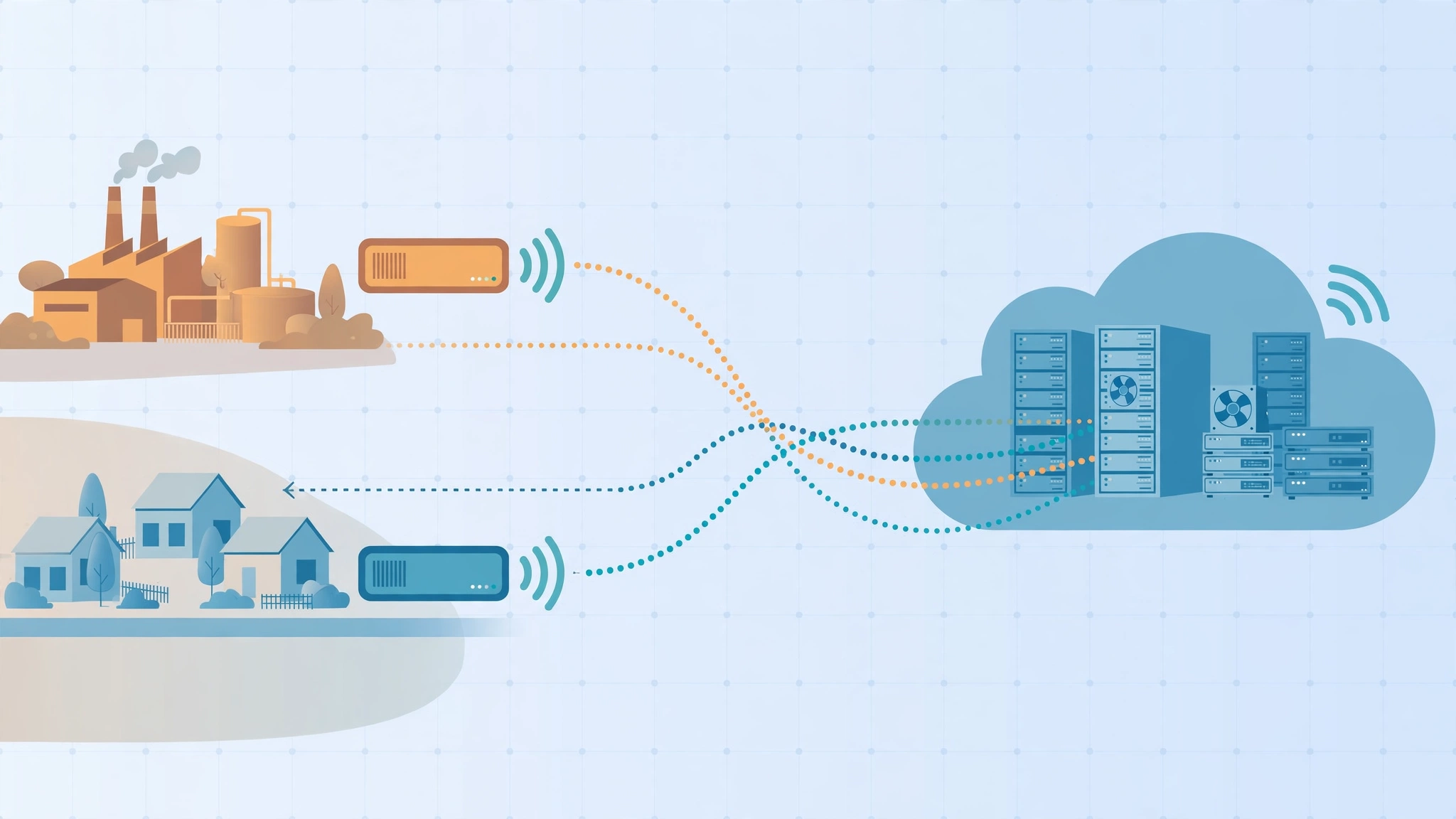
Edge computing flips the order. Instead of shipping everything to the cloud first, small computers placed near the source — inside a factory, a shop, a cell tower, a car, or even your home router — handle the urgent work locally. Only summaries, results, or unusual events get sent onward to the cloud for storage and deeper analysis.
A Simple Analogy
Think of a supermarket. The cloud is the central warehouse hundreds of kilometers away. The edge is the local store shelf and the cashier. You would not drive to the warehouse every time you need milk; the store keeps the essentials close and only reorders from the warehouse in bulk. Edge computing does the same with data: keep the time-sensitive work close, and let the central cloud handle the heavy, slow, archival jobs.
What Counts as “the Edge”?
The edge is not one specific product. It can be a sensor with a tiny processor, a gateway box in a factory, a micro data center at the base of a mobile tower, or a content delivery server in your city. What they share is location: they sit between the device that creates data and the distant cloud that stores it.
Edge Computing vs Cloud Computing
Edge and cloud are partners, not enemies. Most modern systems use both, each doing what it does best.
- Speed: The edge answers in milliseconds because the data travels meters, not continents. The cloud is slower to respond but far more powerful.
- Bandwidth: The edge filters and compresses data locally, so networks carry less. The cloud receives everything you send it, which can be costly at scale.
- Power: A cloud data center can train huge AI models and crunch years of records. An edge device handles smaller, immediate tasks.
- Reliability: Edge systems can keep working when the internet connection drops. Cloud-only systems stop.
- Cost: The edge adds hardware to buy and maintain in many locations; the cloud rents out centralized capacity by the minute.
A self-driving car shows the split clearly. The car itself — the ultimate edge device — must decide in a split second whether that shape ahead is a pedestrian. There is no time to ask a data center. But overnight, the car’s summarized driving data goes to the cloud, where engineers improve the models that the car will download later.
Why Edge Computing Matters Now
Three forces pushed computing toward the edge at the same time.
1. The Flood of Connected Devices
Billions of sensors, cameras, meters, and machines now generate data continuously. A single modern factory can produce terabytes per day. Sending all of it to the cloud is expensive and often pointless, because most of it is normal, boring readings. Edge devices filter the stream and forward only what matters.
2. Applications That Cannot Wait
Video calls, online games, industrial robots, and augmented reality all feel broken when delay creeps in. Human conversation feels natural under roughly 150 milliseconds of delay; a robot arm stopping for safety needs far less. Physics sets a hard limit — light in fiber still takes time to cross an ocean — so the only fix is to compute nearby.
3. Privacy and Regulation
Processing data locally can keep sensitive information from ever leaving the building. A camera that counts shoppers without uploading faces, or a hospital device that analyzes signals on-site, reduces privacy risk and helps organizations follow data-protection rules.
Real-World Examples of Edge Computing
Content Delivery Networks
The oldest edge success story is the CDN. When you stream a popular show, the video almost certainly comes from a server in or near your city, not from the company’s main data center. That local copy is edge computing in its simplest form: store and serve content close to the viewer.
Smart Factories
On a production line, edge computers watch vibration, temperature, and sound from machines. They spot the pattern of a bearing about to fail and alert engineers before the line stops — even if the factory’s internet link is down. The cloud still receives daily summaries for long-term planning.
Retail and Restaurants
Point-of-sale systems that keep selling during an internet outage, inventory cameras that notice empty shelves, and drive-through systems that take orders by voice all rely on local processing with cloud backup.
Vehicles and Transport
Beyond self-driving, ordinary connected cars process navigation, collision warnings, and voice commands on board. Traffic systems use roadside edge units to adjust signals based on real local conditions.
Homes and Small Offices
Smart speakers process their wake word locally and only start streaming audio after they hear it. Modern routers and mesh Wi-Fi systems make routing decisions at the edge of your home network. Small businesses use similar ideas when they run local servers alongside cloud tools such as AI automation to keep daily operations fast and resilient.
The Benefits, Honestly Weighed
- Lower latency: Responses feel instant because round trips shrink from thousands of kilometers to a few meters.
- Bandwidth savings: Filtering at the source can cut data transfer dramatically, which matters on metered or rural connections.
- Resilience: Local systems keep working through internet outages, which is vital for safety and sales.
- Privacy by design: Raw data can stay on-site; only insights travel.
- Scalability: Adding a new site adds its own local capacity instead of burdening one central system.
The Challenges Nobody Should Hide
Edge computing is not free magic. Distributing computers everywhere creates real work.
Management and Updates
One cloud dashboard is easy to patch. Ten thousand edge boxes in shops, towers, and vehicles all need updates, monitoring, and replacement when they fail. Companies solve this with remote management tools, but it remains the biggest operational cost.
Security at Scale
Every edge device is another door an attacker might try. Devices in public places can even be physically tampered with. Good edge design uses encryption, signed updates, and assumes any single box could be compromised.
Higher Upfront Hardware Cost
Buying and installing local hardware costs more at the start than simply renting cloud capacity. The edge pays off when latency, bandwidth, or reliability savings outweigh that investment — which is true for many, but not all, workloads.
Choosing What Runs Where
Engineers must decide which tasks belong at the edge and which belong in the cloud, and keep the two in sync. Poor choices can make systems more complex without making them better.
Edge Computing and 5G
Mobile networks and edge computing grew up together. 5G towers can host small data centers — called multi-access edge computing, or MEC — so a phone’s request might travel only to the tower site instead of across the country. This pairing is what makes cloud gaming on a phone, responsive AR glasses, and fleets of coordinated delivery robots realistic. Neither technology replaces the cloud; together they extend it to the street corner.
How to Think About the Edge as a Beginner
You do not need to buy anything to “use” edge computing — you already do, every time a video streams smoothly or a smart speaker answers quickly. If you run a small business or a home lab, the practical takeaways are simple:
- Keep a local copy of anything you cannot afford to lose access to during an outage.
- Let devices filter before they upload; do not pay to store endless raw sensor or camera data.
- Choose tools that keep working offline and sync later, rather than tools that die without a connection.
- Remember that “cloud vs edge” is a false choice — the best systems blend both.
Key Terms Worth Knowing
A few pieces of vocabulary will help you read any article on this topic with confidence.
- Latency: The time a request and its response take to travel. Edge computing exists largely to shrink it.
- Edge node: Any computer performing edge work — a gateway, a micro-server, or a device itself.
- Edge native: Software designed from the start to run distributed at the edge rather than adapted from a cloud application.
- Data gravity: The tendency of applications to cluster near large datasets, because moving the data is harder than moving the code.
- Orchestration: The automated coordination of software across many locations — deploying updates, balancing work, and recovering from failures without human visits.
A Brief History in One Paragraph
Computing has swung like a pendulum between centralization and decentralization for seventy years: mainframes gave way to personal computers, which gave way to the cloud, which is now giving partial ground to the edge. Each swing happened because the bottleneck moved — first computing power was scarce, then connectivity was, and now the scarce resources are time and bandwidth. Edge computing is simply the latest correction, and the pendulum is unlikely to stop here: the next shift may push intelligence even further out, into the sensors and devices themselves.
What Edge Computing Means for Everyday Users
You will rarely buy “edge computing” as a product, but you will feel its effects. Streaming starts faster because the video lives in your city. Video doorbells respond before the visitor leaves. Games feel responsive because servers sit a few kilometers away. Cars warn you sooner, shops restock smarter, and video calls survive a shaky connection because local systems pick up the slack. The edge is invisible infrastructure — and like most good infrastructure, you notice it mainly by the problems that stop happening.
Frequently Asked Questions
Is edge computing replacing the cloud?
No. The cloud remains the best place for storage, heavy analysis, and training AI models. Edge computing extends the cloud by handling urgent, local work near the data source. The two are designed to work together.
Is edge computing more secure than the cloud?
It can improve privacy because raw data stays local, but it also creates more devices to protect and update. Security depends on design and maintenance, not on the label “edge” or “cloud.”
What is the difference between edge computing and fog computing?
The terms overlap heavily. “Fog computing” usually describes the whole layered system between devices and the cloud, while “edge computing” emphasizes processing on or very near the device itself. In everyday use, they point to the same idea: compute closer to the data.
The Bottom Line
Edge computing is a simple answer to a physical problem: distance creates delay, and moving data is expensive. By processing information near where it is created — in cars, factories, shops, towers, and homes — systems become faster, cheaper to run, more private, and more resilient, while the cloud continues to do the heavy lifting behind the scenes. As connected devices multiply, the winning design is rarely cloud or edge. It is cloud and edge, each handling the work it is best at.